Apple Watch not working? Here's how to get it working again.
Is your Apple Watch unresponsive, displaying only a black screen, or stuck on the Apple logo? Don't worry – here's a step-by-step guide on how to get it working again. We'll also show you which BandStil accessories protect your watch and make everyday use easier.
When the Apple Watch suddenly stops working…
You want to quickly open your workout app – but nothing happens. No display, no click sound, no sign of life. Many users are experiencing this problem: their Apple Watch has stopped working , seemingly for no reason. But in most cases, the cause is something quite simple: a dead battery, a blocked update, or a faulty charger.
In this article you will learn how to restart your watch in just a few steps – and which charging stations and wristbands can help you avoid such problems in the future.
1. Common reasons why your Apple Watch might not be working
- 🔋 Battery empty: The watch has not been charged for a long time or the charger is not making contact.
- ⚙️ Software error: The latest watchOS update is stuck.
- 💧 Water damage: Moisture can block electronics – even through sweating during sports.
- 🪫 Charging accessory defective: Magnetic cable or power adapter is damaged.
- 🧩 Hardware defect: Buttons or display no longer respond due to dirt or a fall.
2. Step-by-step: How to restart your Apple Watch
- Charge for at least 30 minutes: Connect the watch using the original charging cable. Look for the green or red lightning bolt symbol.
- Forced restart: Press and hold the side button and the Digital Crown simultaneously until the Apple logo appears.
- Re-pair: Open the Watch app on your iPhone, unpair the watch, and set it up again.
- Check for updates: In Settings → General → Software Update. Install the latest watchOS version.
- Check the hardware: Do the buttons work? Is the casing damaged or dirty? Carefully clean the contacts with a soft cloth.
Tip: If the watch gets stuck on the Apple logo, press and hold both buttons again until the logo disappears and reappears.
3. How to prevent your Apple Watch from failing again
- 🔄 Install software updates regularly – older watchOS versions often cause errors.
- ⚡ Use original or tested accessories – especially important for chargers.
- 🧼 Clean your watch regularly – dust and sweat can damage contacts and buttons.
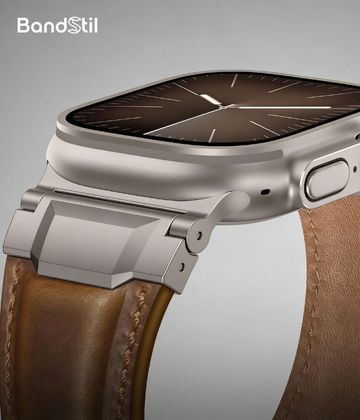
- 🪶 Choose a high-quality watch strap – this ensures the watch sits securely and is not subjected to unnecessary stress.
- Apple Watch bands – from sporty to elegant
- 2-in-1 Bamboo Charging Station – for Watch & iPhone
4. When you should contact Apple Support
If nothing happens after all these steps – meaning no startup, no display, or extremely rapid battery drain – there is likely a hardware problem. In this case, contact official Apple Support .
Before sending your watch in, remove your band – or take the opportunity to choose a new one that better suits your style. 😉 See the overview here:Apple Watch bands →
Use high-quality charging accessories and a suitable wristband. Our "Melbourne" silicone wristband, for example, is a good choice – comfortable, flexible, and suitable for everyday use.